Undertanding the waiting experience in hospitals and exploring existing solutions.
Undertanding knowledge graphs and different user segments.
Core user needs
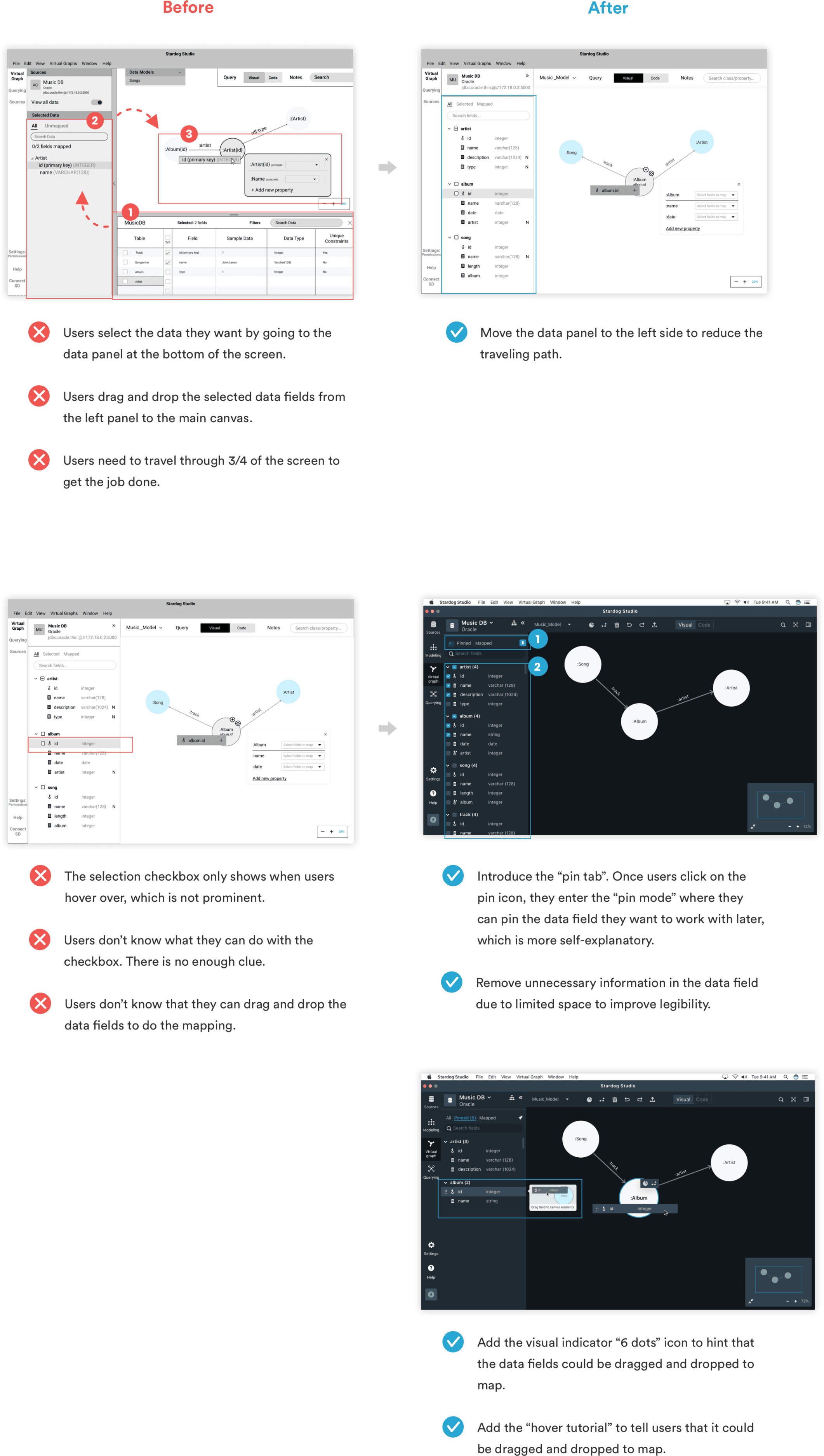
Evaluating lo-fi designs and iterating over it
RESEARCH METHODS
BACKGROUND
MAJOR FINDINGS AND INSIGHTS
USABILITY TESTNG
1. Modeling and mapping are very closely tied.
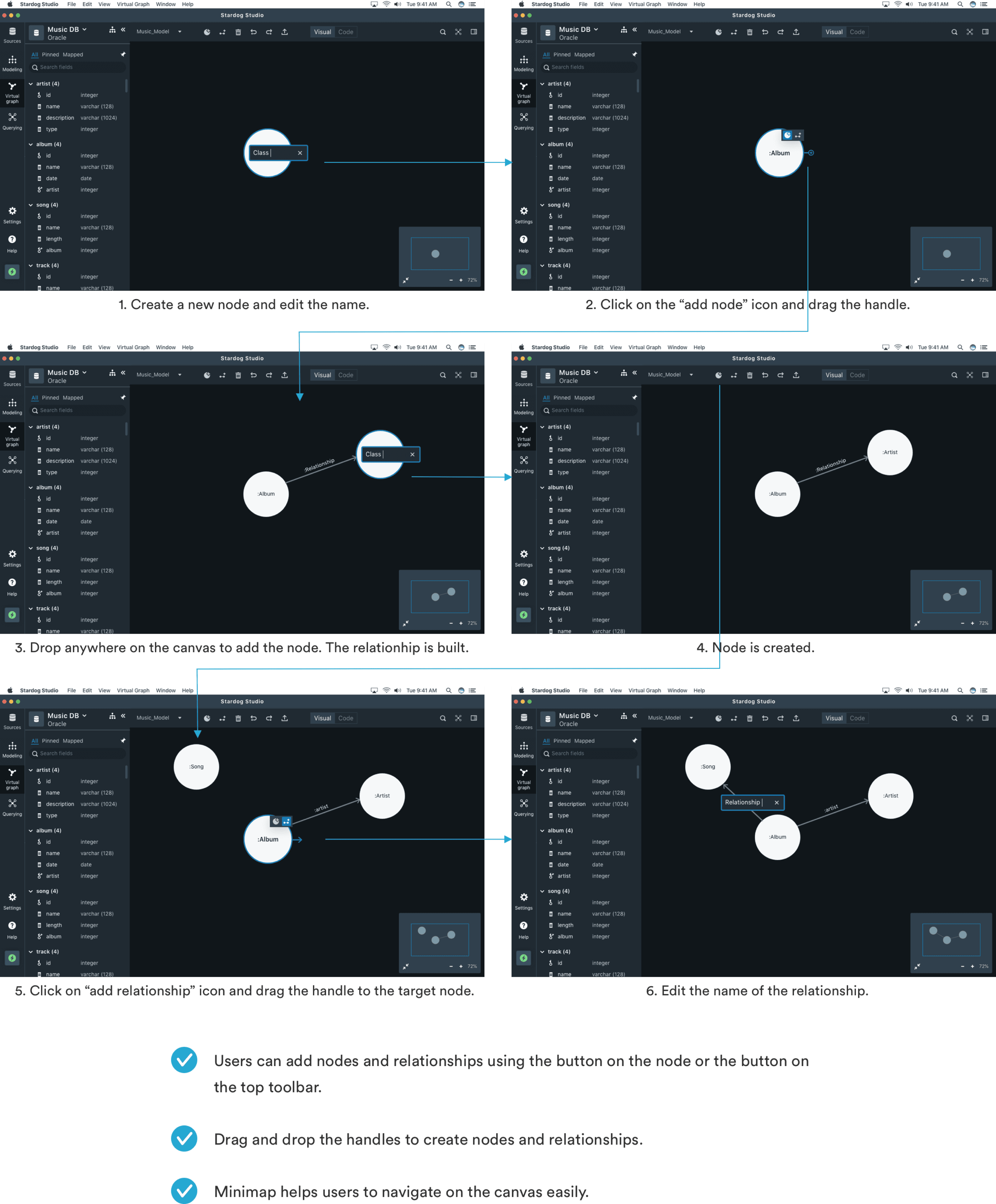
When users work on mapping, usually they need to edit/add new nodes or properties as needs arise. So we treated each project as a virtual graph where users can create data models and do the mapping in the same canvas.
2. High-techies prefer coding.
High-techies prefer coding because they are more comfortable with writing code than using a visual interface. So we decided to provide the flexibility to switch between synced visual and code modes.
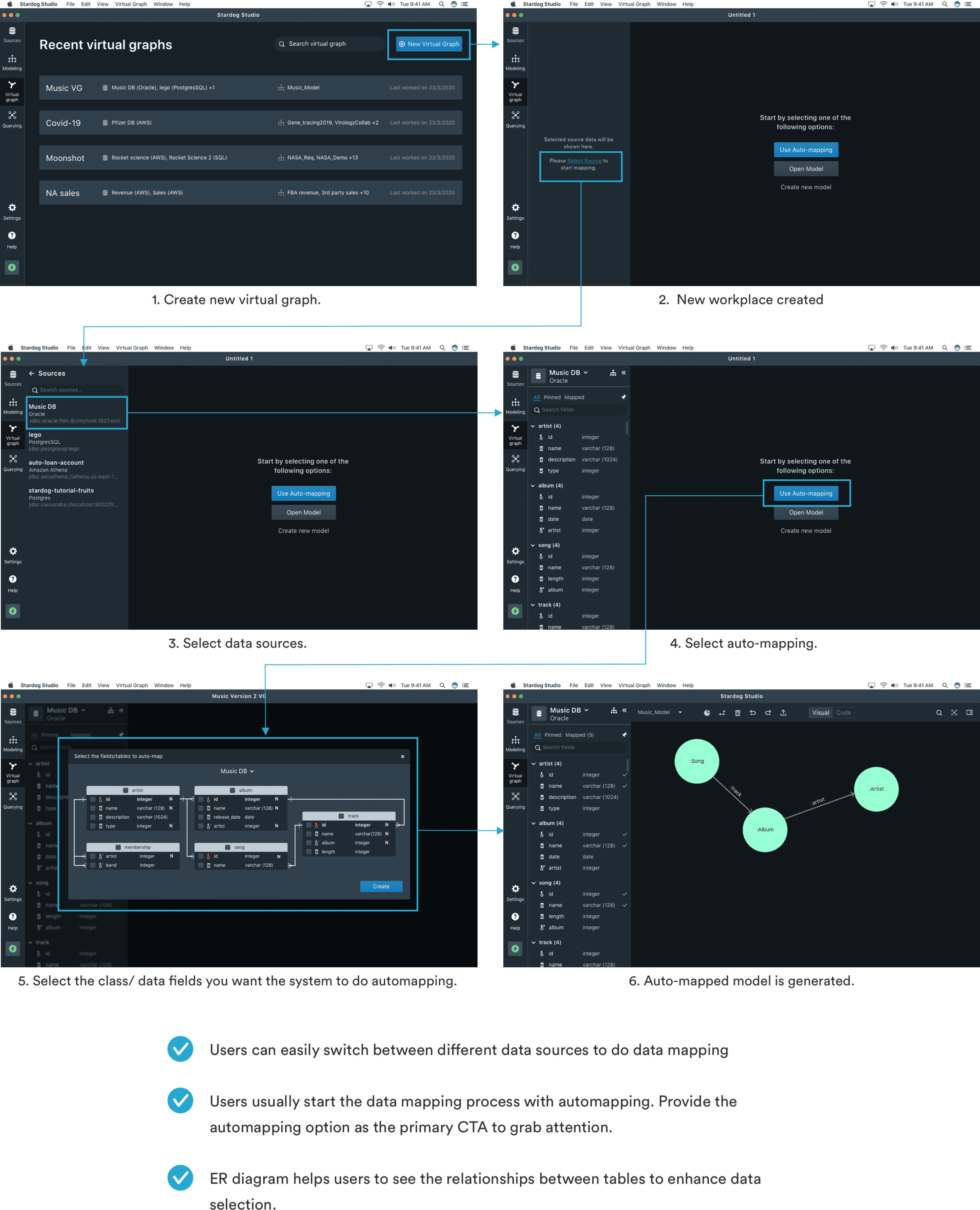
3. Auto-mapping is the default starting point for techies.
Majority of current users uses Auto-mapping functionlity as a starting point. So we highlighted ‘Auto mapping’ feature when users first create the virtual graph project.
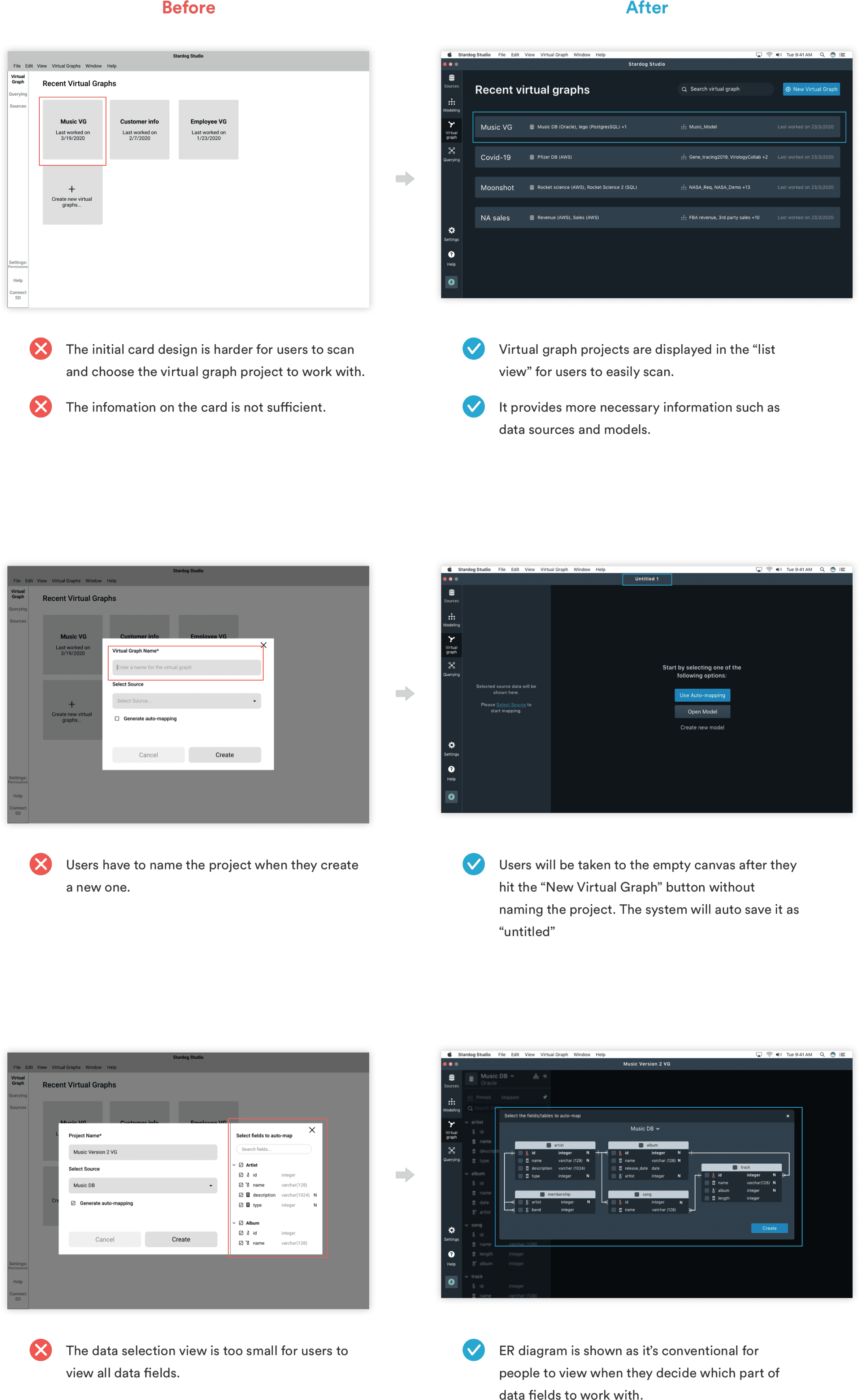
1. Don’t force users to name their project when they create a new one.
2. Reduce the efforts of the data selection and mapping process.
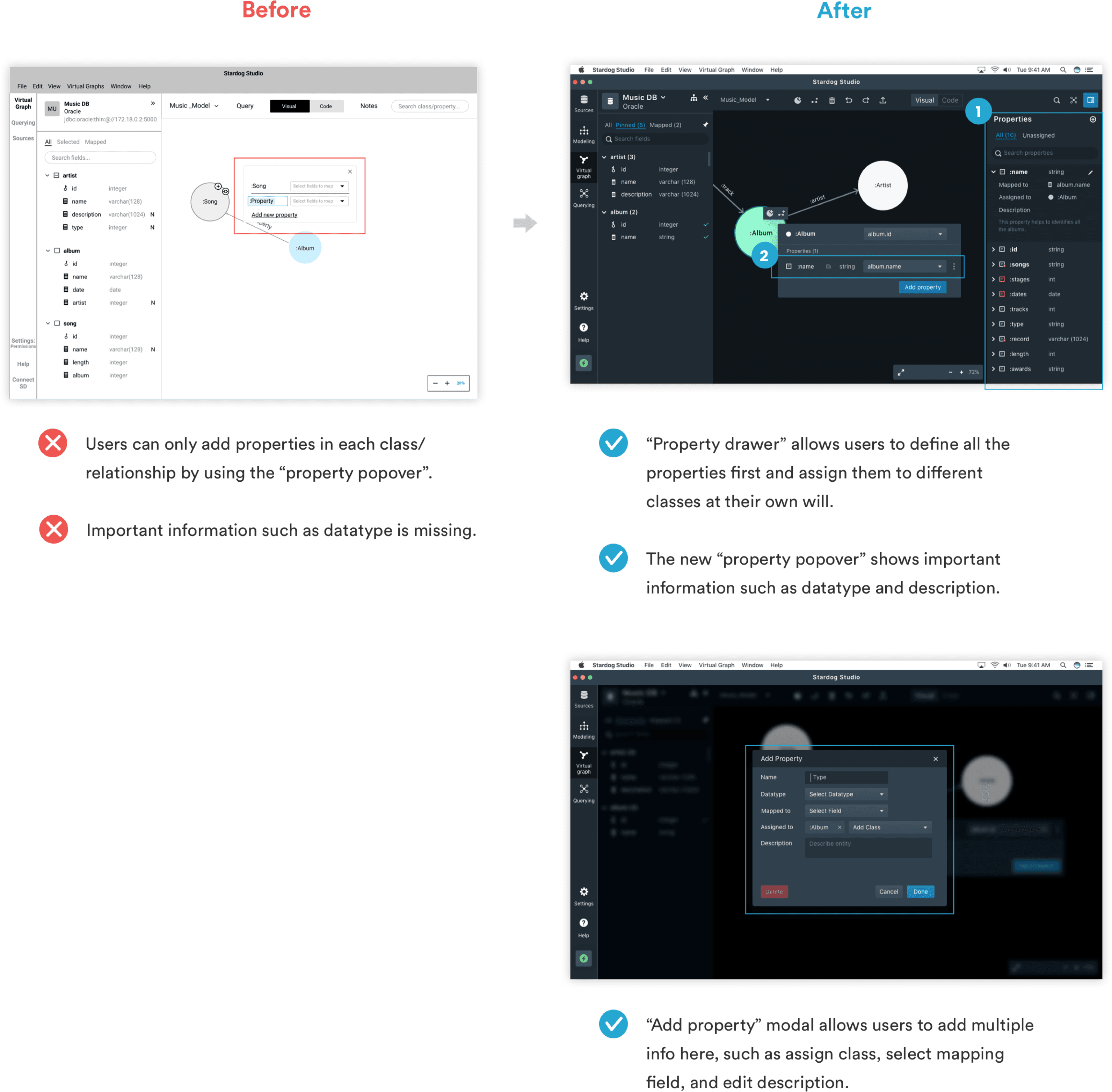
3. Created a flexible way to add properties and support different use cases.
1. Virtual graph + Automapping flow
2. Data Modeling Flow
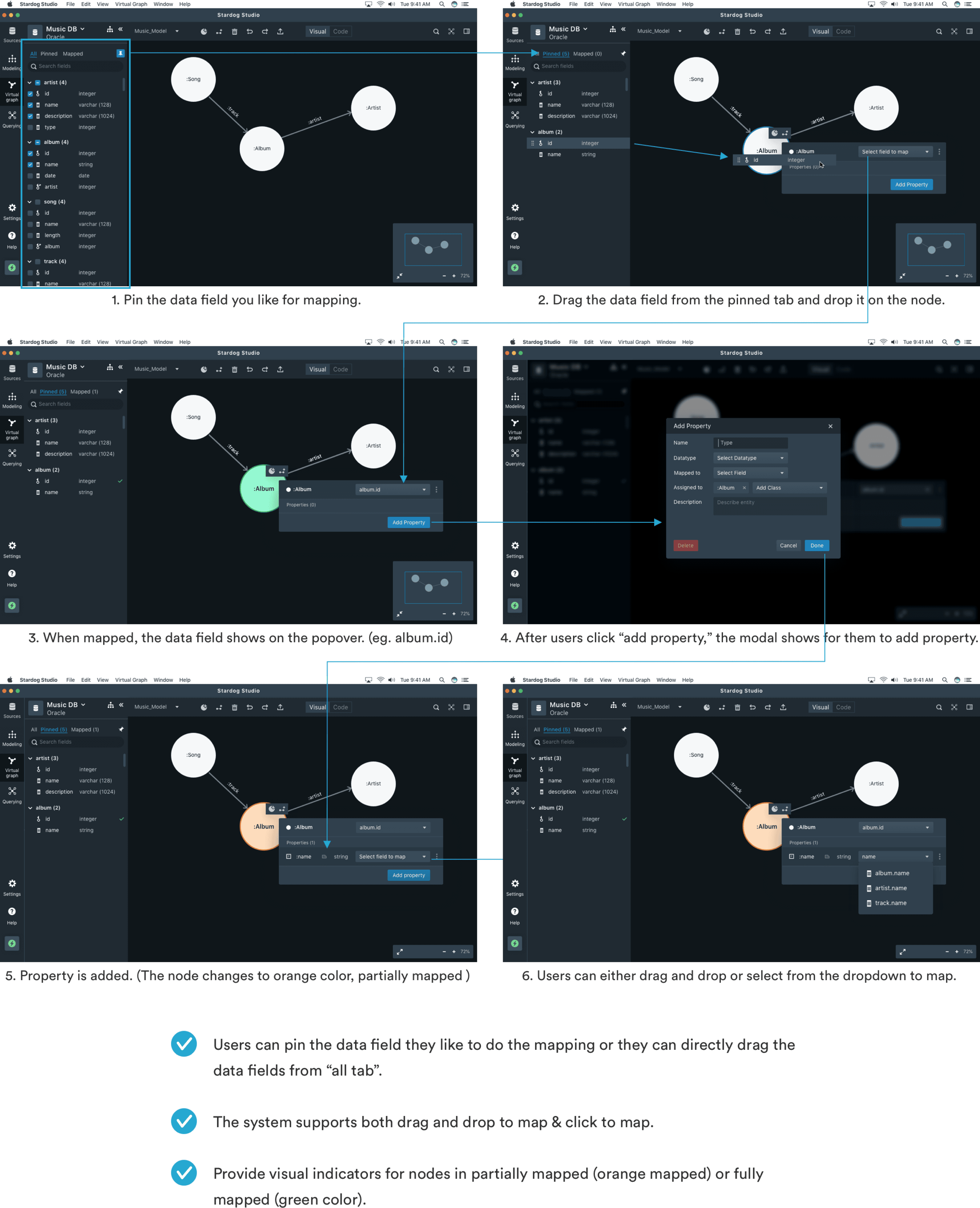
2. Data Mapping Flow
4. Subset of data is selected before users start mapping.
Users select some data-columns to work with before mapping so they don’t get overwhelmed by huge amount of data . So we created a data-field selection user flow.
5. Defnining properties separately
Users may define properties and classes separately and later assign the properties to the classes and map them. So we created a new place for defining properties separately
6. Click to map vs drag and drop to map.
Users found both click to map and drag and drop mapping functionalities to be useful. So we supported both "click to map" and "drag and drop to map" interactions.
What is Knowledge Graph?
A knowledge graph (KG) is a flexible graphical representation of data derived from a variety of structured, semi-structured and unstructured data sources which are connected together to create machine-understandable knowledge.
Enterprise data in large companies is stored in silos and fails to provide insights required to make better decisions. KGs allow users to build flexible models and connect data from different silos.
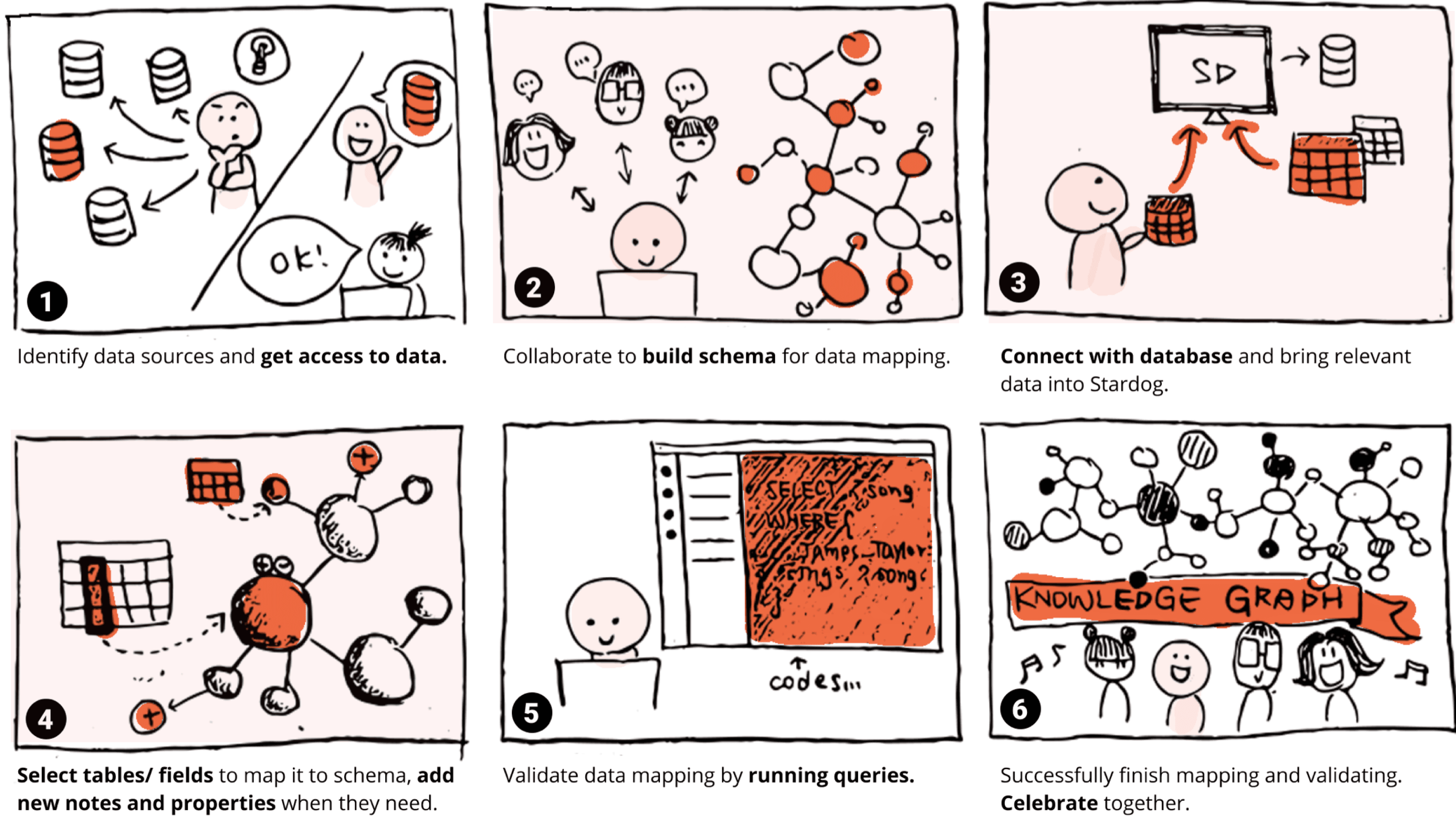
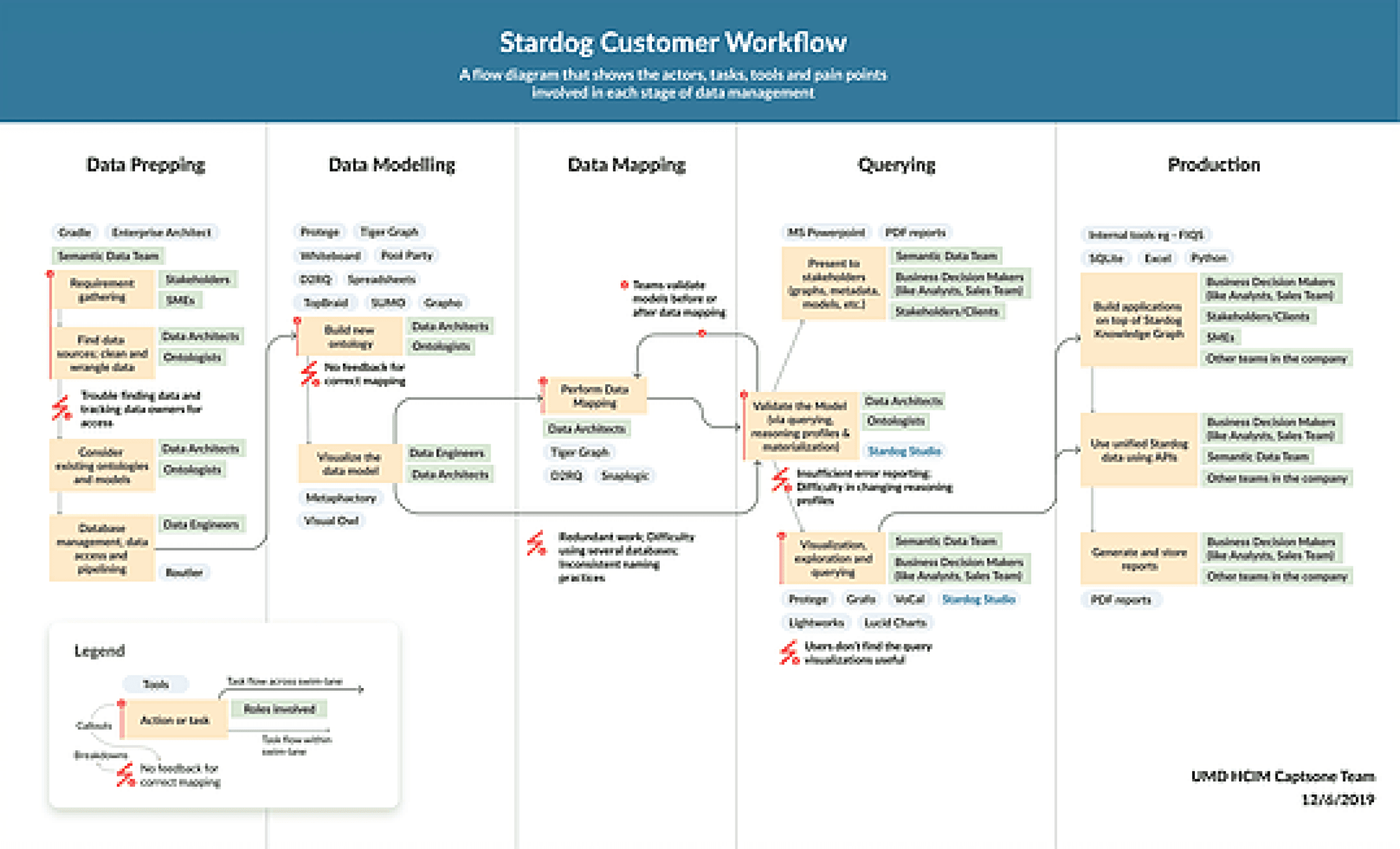
The process of creating and using KGs (detailed workflow) requires a number of large, complex steps which are illustrated below. Our project focus on frame 2 to 4, supporting users to do data modeling and mainly data mapping.
User segments
Knowledge transfer sessions with Stardog engineers.
Analyzed existing solutions in knowledge graph space.
Conducted interviews with 8 High techies and 3 Low techies.
Conducted 5 interviews to capture observational data.
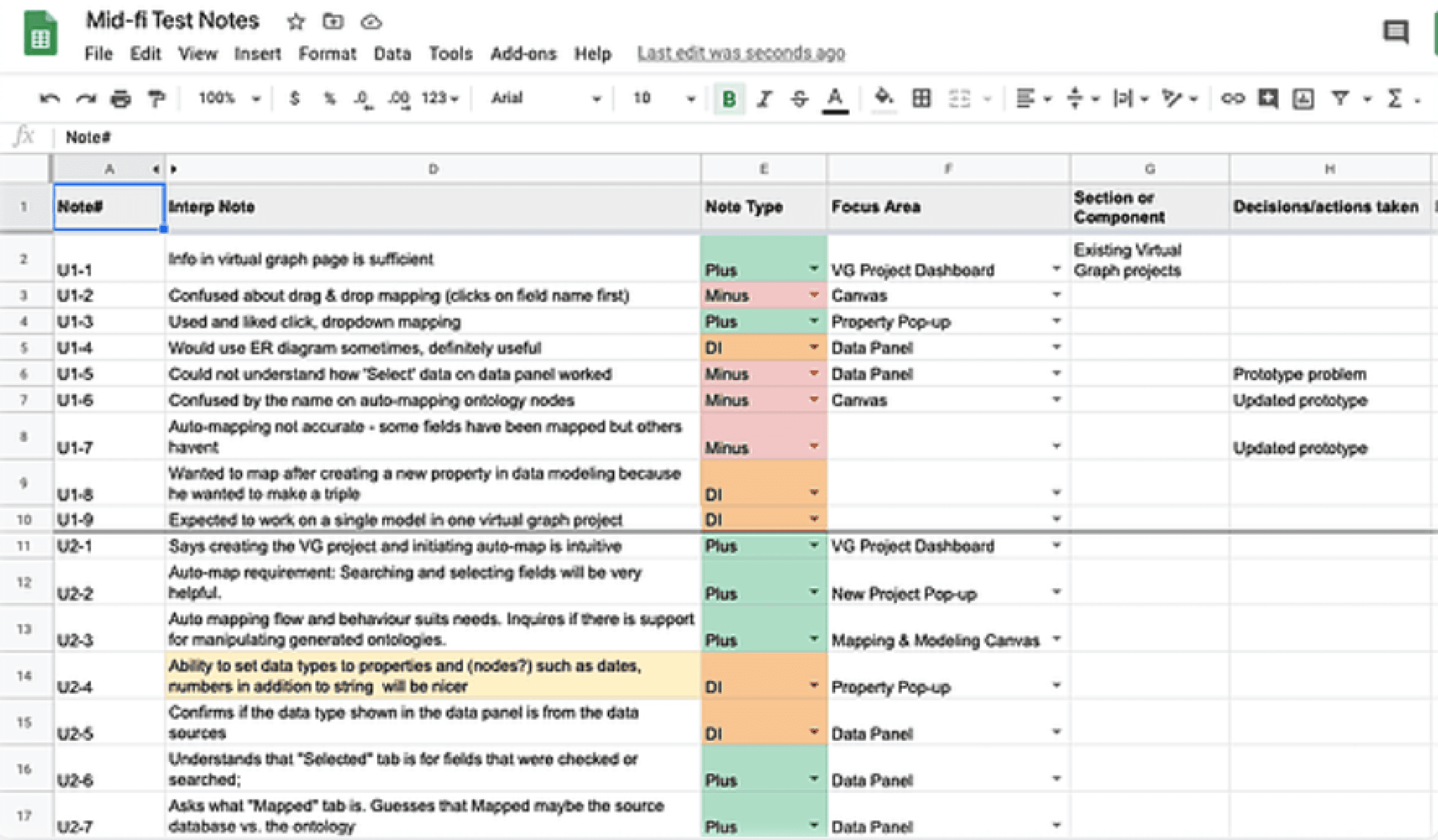
Evaluated lo-fi prototype with 5 participants.
Hospitals using it
While it can not be quantified, we also saw a lot of behavioral changes in the patients that led to an overall better waiting experience:
• New Patients would automatically go to Receptionist for check in since they now want their names on the TV.
• The next patient would automatically get ready for the consultation.
• No queues around Reception asking for wait times.
• A lot of patients were engaging with the quizzes, thus reducing the perceived wait time.
• Receptionists now had more time to focus on other aspects of managing a hospital/clinic.
operational time
SME Interviews
Competitor Analysis
Semi-structured Interviews
Contextual Inquiry
Usability Testing
How DocOn TV was received by hospitals
RESULTS
700+
98%
Current Stardog Customer Workflow
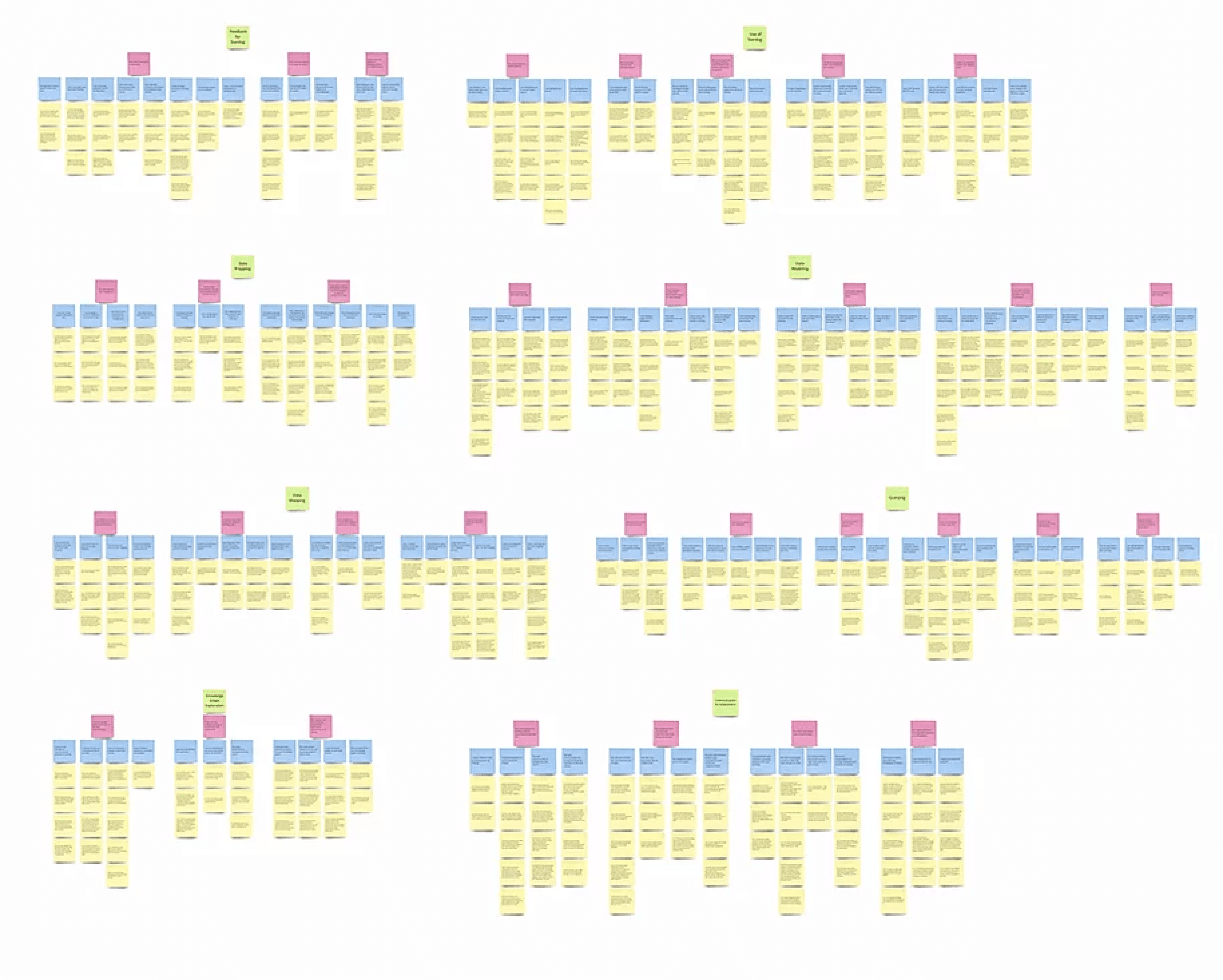
Usabiity Testing Notes
Affinity map containing detailed findings. Explore Affinity Map on Miro
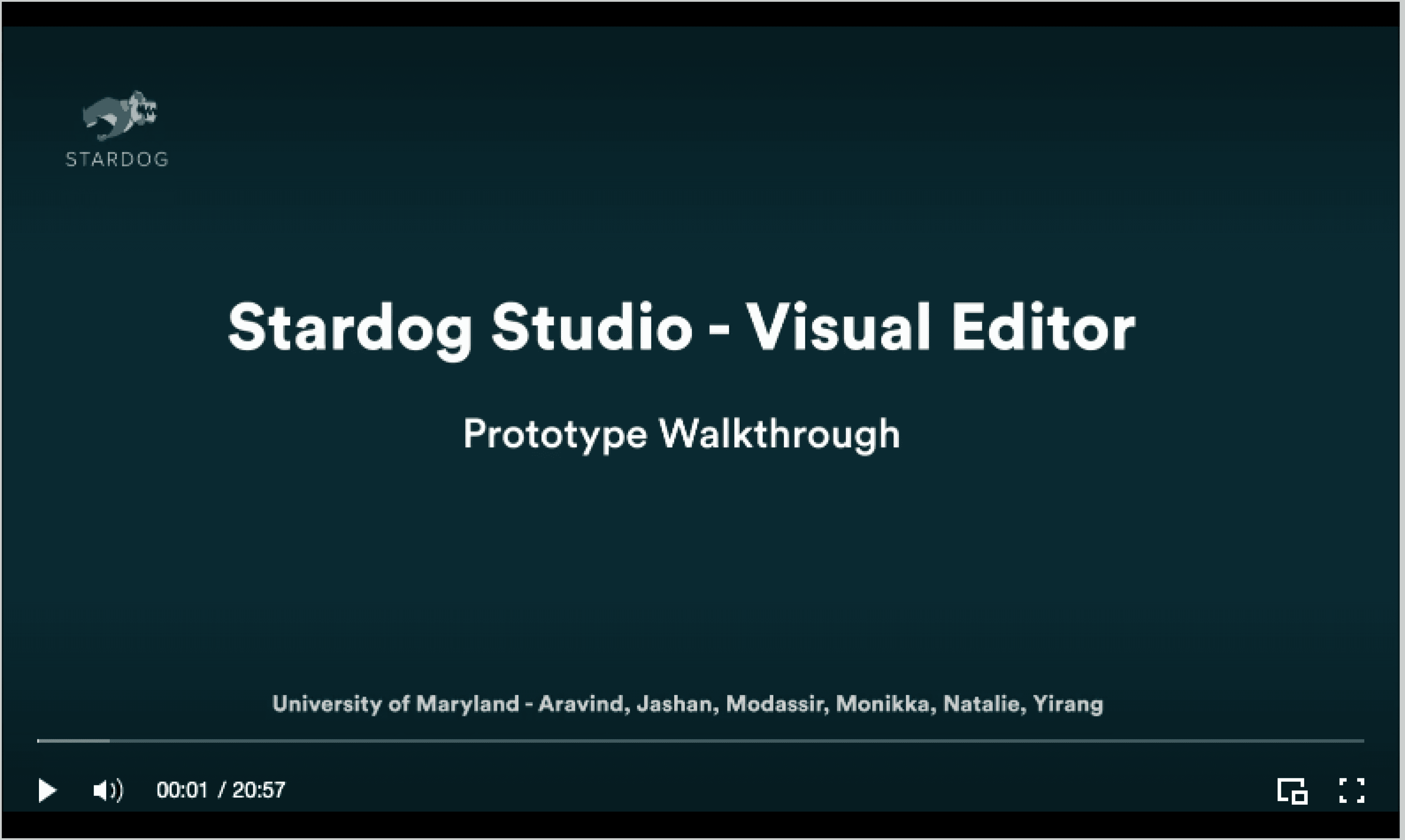
Prototype walkthrough of the final GUI designs
Storyboard illustrating knowledge graph creation process.
Jashan Gupta
Designing a visual GUI for a data unification software
As the Senior UX Designer, I designed a TV app that provides wait time transparency in 700+ Hospitals in India.
Despite its benefits, the current process of creating knowledge graphs requires technical expertise and is time-consuming. Stardog realized the need for a simpler alternative to expand its user base to non-technical people.
The goal of this project is to design a tool that helps users with limited technological skills to do data mapping and data modeling.
PROBLEM STATEMENT
Our capstone project team was commissioned by the CEO of Stardog, a fast-growing Enterprise Knowledge Graph Platform provider, to redesign their existing knowledge graph product that could be used not only by technical users but also business analysts who typically rely on IT to create a graph for them. We identified a need for a simpler data unification process. We collaborated closely with their product and engineering team on a mission to design various Graphical User Interfaces (GUIs) that would allow non-technical users to do data mapping, data modeling on their own without any coding.
I managed a team of 6 designers and collaborated with stakeholders and customers, led the design operations, user research and product evauation, conceptualized solutions and owned 4 critical features in the final interface design.
overview
Client
Role
Design Operations
User Research
Usability Testing
Product Design
Duration
August 2019 - May 2020 (9 months)
Team
Jashan Gupta
Modassir Iqbal
Yirang Choe
Monikka Ravichandram
Aravind Jembu Rajkumar
Natalie Yeh
tools used








Lead ontologists, data architects etc. with 5+ years of experience in the KG domain. Needs ability to code & has many advanced use cases.
Current Users
High-techie
Junior data architects, software Enggs. etc. with <5 years of experience with KGs. They need to be able to create and modify data models & mappings easily.
Target Users
Low-techie
Domain experts, business analysts, managers etc. with some or no understanding of KGs. Wants to query & find answers to business questions.
Prospective Users
Other Stakeholders
Evaluating lo-fi designs and iterating over it
What I learned from the project
FINAL DESIGN FLOWS
LEARNINGS & TAKEAWAYS
Stardog was definitely the most challenging product that I worked on considering its unique industry space targeted towards developers. The unique challenges poised by this project forced me to push my limits and made me more comfortable managing both the research and a design roles.
Leading a team of 6 designers made me think from a perspective of design operations and helped me realize the importance of different perspectives while designing something. Throughout the project, I got to lead Design Operations, Research and Design which helped me grow tremendously as a designer.
Reflecting back, most of the challenges occured because of our limited knowledge of this space and I would have spent more time on Desk Research and learning Modeling and Mapping through code so that I could have understood the complex use cases better.